My newest kits available at:


This tutorial is for those that have a working knowledge of PSP. This tutorial was written by me on March 14, 2022 and any resemblance is purely coincidental. I use PSP 9,but any version should work. I do not allow my tutorials to be translated and pleasedo not claim them as your own. If you would like to share the tutorial, please send a link to my blog. Thank you!
Things Needed:
1.) Open a new image 600 x 250
2.) Open your tube and copy and paste as a new layer on our working image
3.) Using Muras Meister Copies - Choose wallpaper (rotate) with the following
settings
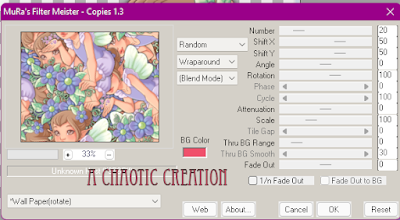
4.) Adjust- Blur- Gaussian Blur radius 15.00
5.) Using Toadies filter - Plain Mosaic- cell width 16, Cell height 8,
cell Edges on/off 9
6.) Adjust -Sharpen- Sharpen More
7.) Using Special Effects 1 in filters unlimited use the following settings
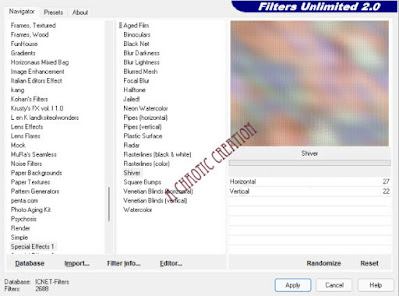
8.) Duplicate this layer
9.) on our new layer use tramages plug-in tow the line default settings
10.) Change the opacity of this layer to overlay or one of your choosing.
11.) Merge down
12.) Duplicate this layer
13.) Image- Mirror
14.) Lower the opacity down until you are happy with it
15.) resize your tube and paste as a layer on our working image
16.) add a nice drop shadow of your choosing
17.) Merge all the layers
18.) Image add borders size 1 in black
19.) Image add borders size 10 in a color from your tube
20.) Image add borders size 1 in black
21.) with your magic wand select the border of color from our tube
22.) Adjust- Add noise at 45 Uniform ticked an monochrome checked
23.) Now find a quote/saying that would go well with your tube
24.) Add your copyright info and save.
25.) See just a quick and simple tut-I would love to see your results if you do
this tutorial
Hugs,
Carmin
Updating the blog with many Creations between November and Now-
I fell so far behind and I apologize for that.
Im learning to shade pixels from and awesome group called PSP4ALL and these are a couple of my results




Its been a while since I've updated my blog... sorry about that... So much has been going on in family life that when I am online I am creating tags and kits and that's it. I am going to try and keep up with things better this year.. Even though it hasnt been a great start.
I have to take better care of me. I ended up in the hospital - I was so so sick and was told I had Diabetic ketoacidosis and it can be fatal.. So I will be honest- it scared the hell out of me. Been discharged from hospital a few days now and I just feel so exhausted.
Anywho lets get to what this blog is all about: Paint Shop Pro Creations by me :


©Cathy Delanssay http://www.cathydelanssay.eu 3-3
found at https://www.cdoestore.com/


©Maigan Lynn www.maiganlynnart.com 56-3
found at https://www.cdoestore.com/
•♦•
***CDO CT Required****
Artist 1: ©AlessiaC www.deviantart.com/alessiac

Artist 2: ©Beth Wilson www.bethwilsonartist.com
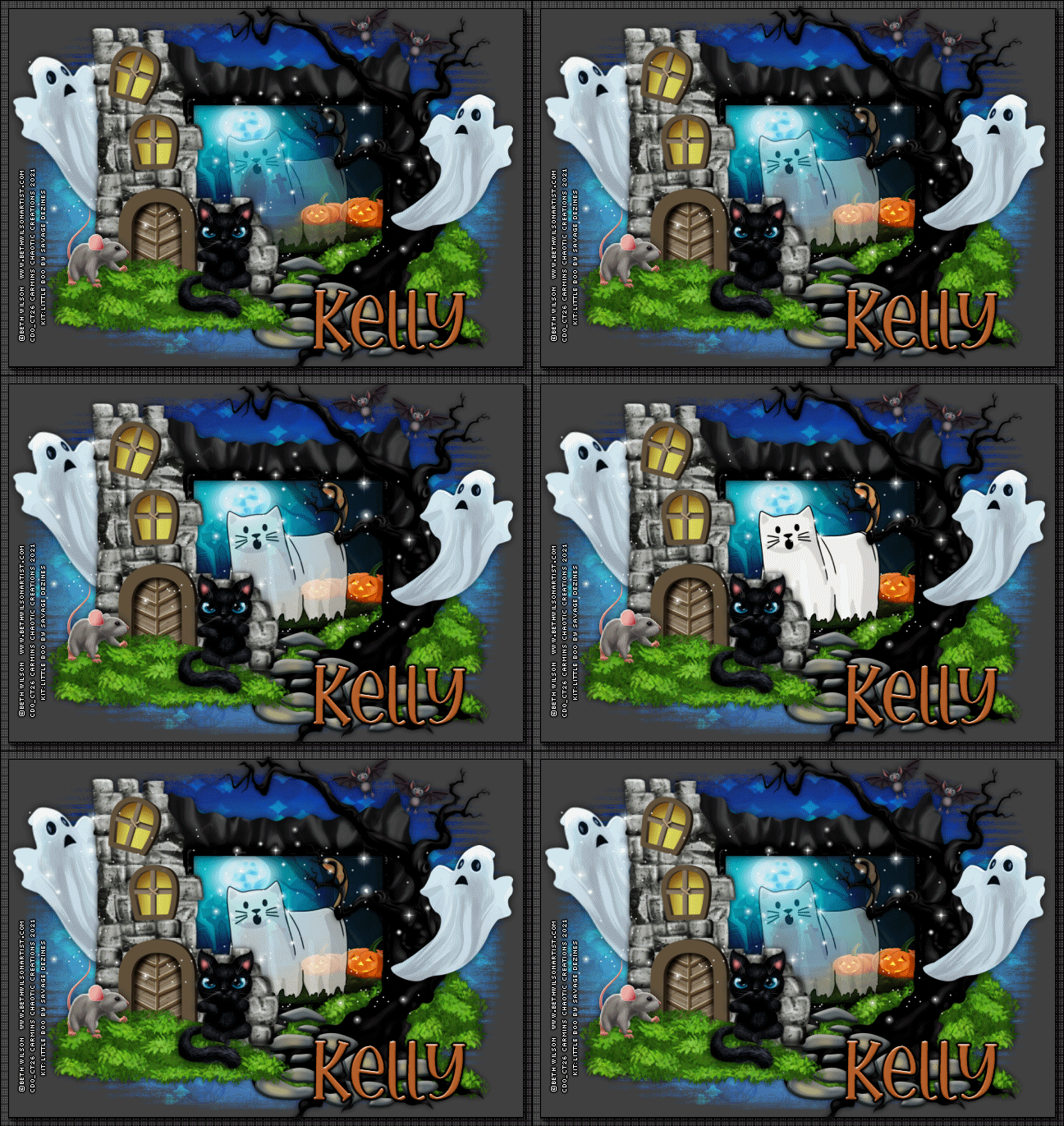
Artist 3: ©Martin Abel www.martinabelart.com

Feel free to check out my blog
here for Extras
,Tutorials, and Other odds and
ends: https://tinyurl.com/y3m6uuce
•♦•

